
Online courses are a great way to build a business and an online income, but what do you use to host your courses? Thinkific is my answer. Here is my review of it, why I started using it and and why it might be the perfect course builder for you too.
So here goes…
Although I’m mostly an affiliate marketer, I’ve created my fair share of digital products over the years.
Up until now I’ve never bothered with any sort of learning management system (LMS) – I’d just stick my downloads or videos on a basic page and give my customers the link.
But recently I bought a white label product (a bit like PLR) and wanted to get it on sale…
It included an HTML page full of training videos, but it wouldn’t work properly for some reason, so I started to build it out in Convertri (great for opt-in pages and sales pages!)
But as I was building it, I realised that there would be 40+ videos all on a single page… 😮
With videos hosted on YouTube, I was worried it would slow down loading times, plus it just didn’t look professional.
I tried creating separate pages for each module, but the whole thing was still pretty clunky so I looked around for a better solution…
And Thinkific leaped out as the best (and cheapest!) option.
I already own courses built on the Thinkific platform and they look very swish and professional, so I signed up and started building.

So What Is Thinkific?
Thinkific is an online course platform that allows you to create and deliver high quality eLearning content.
It supports all major browsers and devices and has a free plan so you can try before you buy.
In fact, you can get your first course built and on sale for absolutely FREE. Forever!
Granted you lose some useful paid features, but it WILL get you up and running quickly so you can start bringing in an income with your very first course.
You don’t even need a credit card to get started! 🤩
Who should build a course?
Anyone who wants to earn an extra income by teaching their existing skills to others!
Whether you’re a business owner, blogger, musician, fitness fanatic, elephant juggler or anything else…
You can use Thinkific to create and sell your own online courses.
And you can even sell private lessons, because Thinkific also offers a great way to manage your students’ accounts and payments with PayPal and Stripe.
How Does Thinkific Work?
Thinkific pretty much gives you everything you need to build an online course.
You bring the expertise and course content and it handles the rest.
You upload your content to your Thinkific site and they host it for you.
Even video, which you’d normally pay extra to host.
You’ll also get a great-looking course membership area.
And Thinkific will collect payments for you when people purchase your course. They don’t even charge a handling fee.
Then you add your course’s description, price, and other details, upload your images and videos, and set up your marketing channels.
Then sit back and watch the money roll in!
You don’t even have to own your own website.
What Features Do You Get With Thinkific?
Thinkific offers enough features with their free account that you can get up and running easily.
You get:
- Easy drag and drop Course Builder
- Full e-commerce
- Easy to use website templates
- Unlimited students
Unlimited students in a free account is a big plus! Most free software would not be nearly so generous.
The paid accounts are very reasonably priced in my opinion – starting at only $39/month.
You can easily cover that with one or two paid members a month!
I won’t list everything, but with paid accounts you get much more, including unlimited courses, coupons, drip content, Thinkific Academy courses and a custom domain.
Click here to check out the full list of features
The drag and drop Course Builder allows you to make your course look amazing, without having to spend hours tweaking every little detail.
Once you’ve designed your course, you can easily preview it in real time using the live editor to admire your work.
If you ever need to change something, it’s simple to edit your course directly within the editor.
I haven’t quite finished getting my course on sale, but here’s a peek inside the course editor:
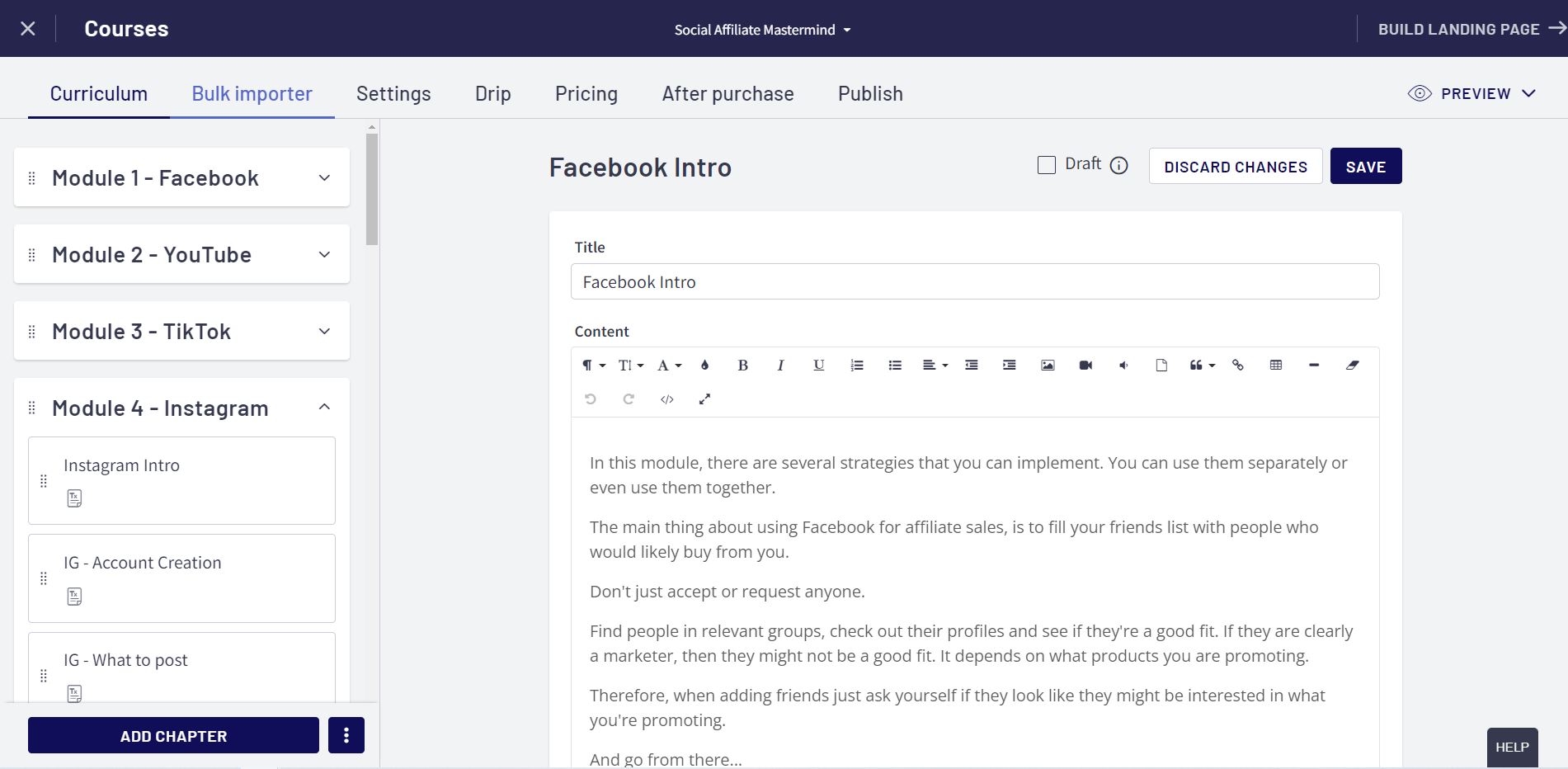
This thing looks amazing and is so easy to use!
And I have yet to pay a penny for it 😍
Is it easy to build a course?
Yes! It is surprisingly easy to build a course.
Once you sign up here, you just follow the instructions.
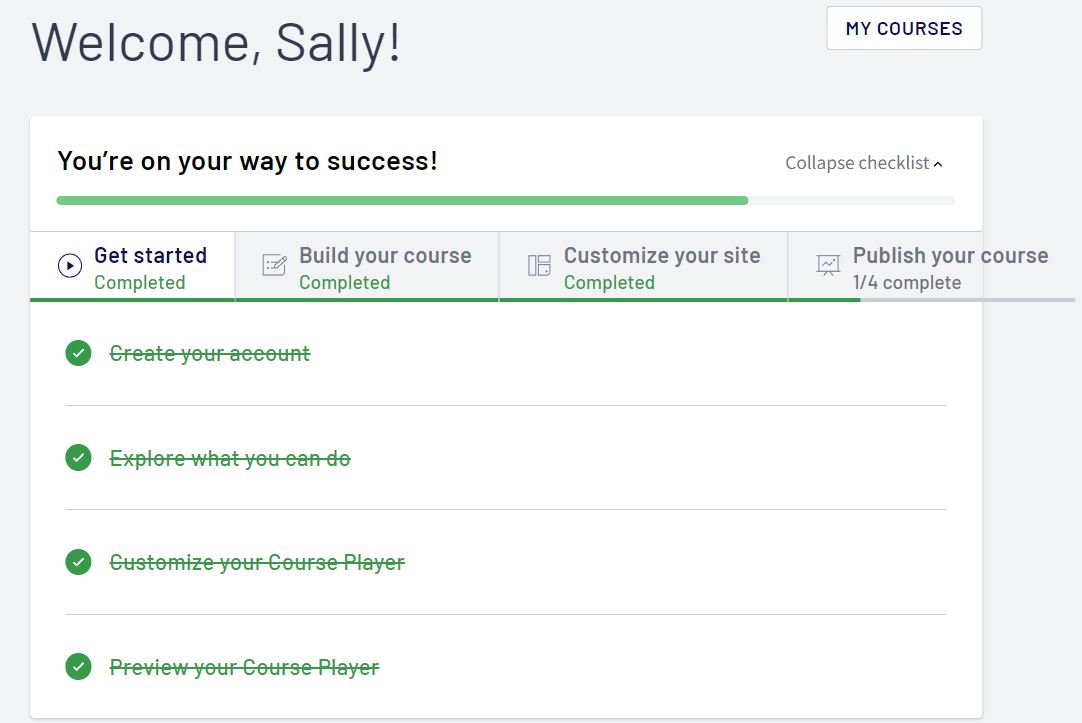
The “Get Ready To Launch” section will lead you through everything to get your course on sale, from Getting Started and Building & Customizing Your Site to Publishing Your Course.
Here’s a look inside my account at that very section:
I’m notoriously stubborn and refused to watch any of the help videos but figured it out fairly easily.
I must admit I was slightly frustrated with the limited site templates and design options, but after seeing how fantastic my finished course looks I’m prepared to let that go.
I had already built my sales page with Convertri, so I stuck with that rather than recreate it in Thinkific as Convertri is much more flexible.
The nice thing about Thinkific is that I can send people directly to the checkout page, where it allows you to take payments via PayPal or Stripe.
Thinkific charge 0% (yes ZERO) fees for products sold, so you don’t lose any of that lovely revenue!
Here’s peek inside my finished course area:
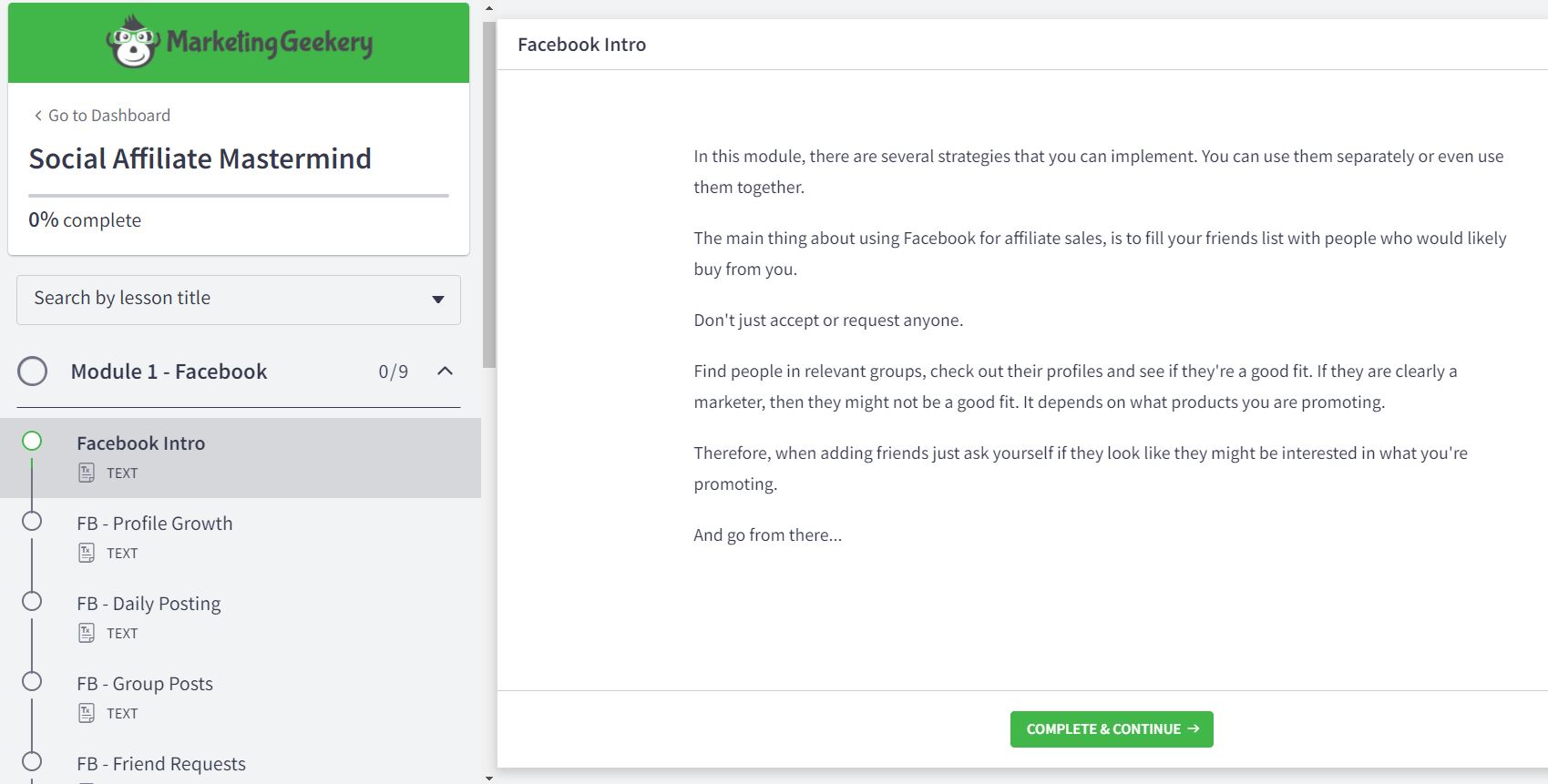
It didn’t take much work to build a great looking course area.
My course is organised into 7 separate modules with multiple lessons in each one, all presented in a clean and professional manner.
I think you’ll agree that is much better than the original single web page with 40 odd videos, plus text.
Because of this, courses built with Thinkific have a much higher perceived value than the one page training area.
Even if your course only consists of PDFs, you can copy the content into Thinkific, splitting it into different modules lessons to create an amazing course!
Yes it’s a bit more work than a plain PDF, but you can charge more for it or charge the same and get massive brownie points with your customers for providing such great value! 🙌
Bottom Line – Should You Give Thinkific A Try?
The short answer is, “Yes!”
The long answer is “Yeeeeees” 😉
In my opinion it’s the best one to get your started and I love the ease with which you can put a course together in Thinkific.
Are there other options? Sure there are…
But you’d be hard-pressed to find one that offers the same features, value and free option that you get from Thinkific!