
An email list is probably the most important component of any online business.
But how do you attract more leads for that list?
Build An Opt-in Funnel!
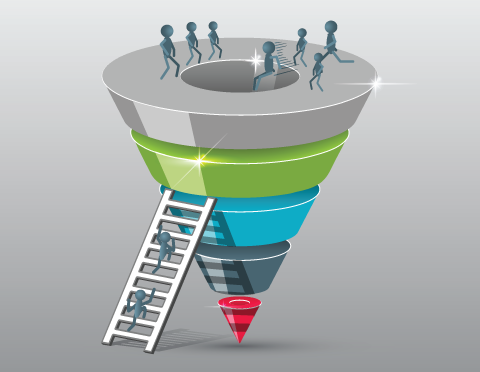
But how the heck do you put an opt-in funnel together?
Here’s my overview of how to tackle your exciting mission to attract more leads…

An opt-in funnel is essentially:
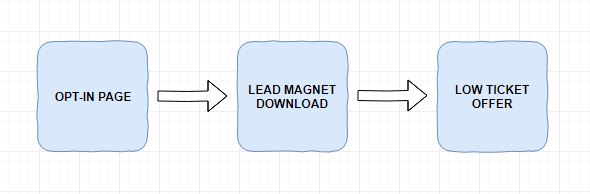
You could add in a higher ticket offer after that, but lets keep it simple to start with 😊
1. Lead Magnet – First Ingredient To Attract More Leads
The first thing you’re going to need in your quest to attract more leads is something to give away in return for an email address.
This is called a lead magnet, freebie or opt-in bribe.
Checklists, cheat-sheets, templates and resource lists work best because they are quick and easy to make and to consume.
Your freebie needs to solve a real problem for your prospect.
And it needs to be something that they can use to get a quick win for their business…
Which will start to build trust with your new subscriber.
And what does trust make?
Long term fans and buyers! Woohoo!
If you really don’t want to create your own, you can just buy some PLR, just check that the license allows you to give it away.
I go into more detail about how to build a lead magnet that attracts buyers in The Buyer Magnet
2. Ecover Graphics
A pretty cover for your lead magnet is the next item needed in your mission to attract more leads.
Assuming you’re not a Photoshop wiz, you can make a 2D one yourself for free with Canva – they have some pretty decent templates.
Or you could outsource cheaply to Fiverr, but make sure you check the reputation of the seller.
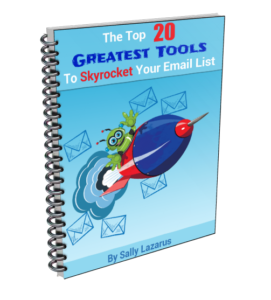
Or if you enjoy a bit of creativity you could make your own 3D cover with eCover Authority, which I used to make this 3D cover:
3. Landing Page / Squeeze Page
Next up to attract more leads is a Landing Page / Squeeze Page.
As a massive geek and former programmer, this is the bit I love best but can be potentially tricky if you feel like technology hates you.
These days, there’s no need to panic – you can get your hands on some pretty powerful tools that make your life easier.
What I’d recommend when you’re getting started is a page builder like Convertri.
Click here to read Why I Switched From ClickFunnels To Convertri And Recommend You Do The Same
One of the many great things about Convertri is that you don’t need to pay for website hosting as it’s all included and blazing fast pages it creates too!
Click get your FREE Convertri trial.
Anyway, I digress…
Although there are various templates available, your landing page will probably look something like this:
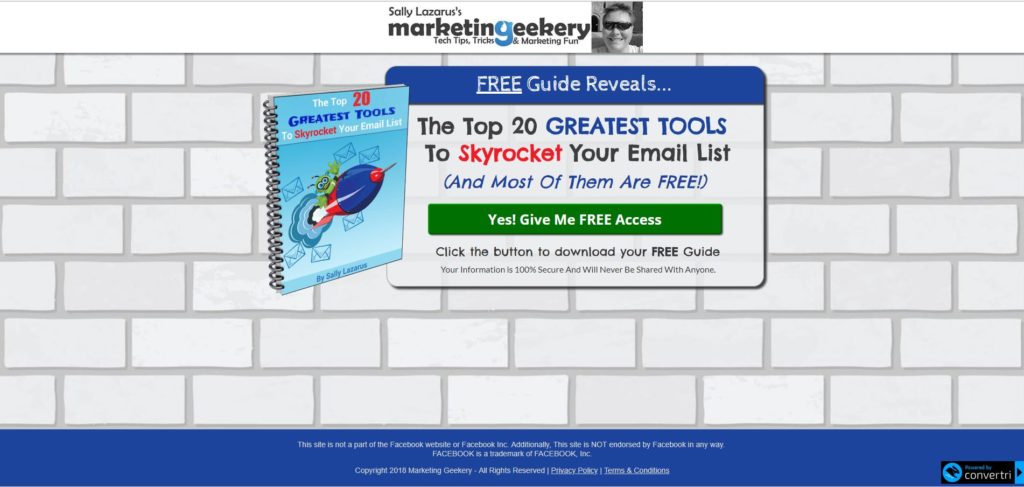
This one of mine converts at around 46%, which is pretty good by industry standards (average is around 20-25%).
There are various types of landing page, but people have short attention spans, so minimalistic converts best…
Ooh look, a bunny!

To attract more leads, your landing page needs to be congruent with the link that your prospect clicked to get there.
If the colours are all different or it’s not the freebie they were promised there will be a disconnect and that will reduce your opt-in rate.
A high-converting landing page needs to have / do / be the following:
- Fast loading – if the page doesn’t load quickly then you’re going to lose people
- Attention-grabbing headline – Make it a no brainer that overdelivers and promises something that you know your prospect desperately wants and needs.
- Benefits of your offer – what will it do for your prospect? People are very interested in WIIFM…What’s in it for me?
- Have a strong call to action – Don’t expect people to be mind readers and know what to do next. Tell them explicitly…
“Click the button below to download your free guide to dinosaur breeding”
It can also increase conversions if you include the benefit again in the call to action. - Ensure the form / button is “above the fold” – i.e. positioned in the top half of your web page, so it’s visible when the page loads.You’ll lose a ton of subscribers if they have to scroll down to get to the good stuff!
- Don’t ask for too much information – ask for no more than first name and email address or even better, just their email address.The more information you ask for, the lower your conversion rate will be.
- Use two step opt-ins – this is where you have a button that your prospect needs to click for the form to appear (see my squeeze page above).This can improve conversions because clicking the button represents a “micro-commitment” in the mind of your prospect, which means they’re more likely to fill in the form and push that subscribe button.

- Remember to connect your opt-in form to your autoresponder or your leads will fall into a big black hole. (More about this later)
- Image of the freebie – I find that having an ecover image of the freebie that your prospect will get helps to convert.
- Reassure them – always let people know that you won’t share their information as it will help reduce objections.
- Legal Pages – You’re also going to need links to your Privacy Policy page as well as your Terms of Service and Earnings Disclaimer / Medical Disclaimer.I link from my opt-in page to legal pages I created in a couple of minutes with WP Legal Suite Pro plugin.
- Also remember GDPR – I’m not a lawyer, so you should do your own due diligence to check you have everything in place to comply with the new data protection rules that come into force on 25th May 2018
- Facebook Pixel – if you’re likely to use any Facebook advertising to your page, then you’ll need to add a Facebook Pixel to the page so that you can retarget anyone who didn’t sign up. There’s an easy way to do this in Convertri and other page builders. If you’re using WordPress, you can install a free plugin to help you add your pixel – WPCode
- Facebook Disclaimer – for Facebook ads you’ll also need a Facebook Disclaimer along the lines of:
“This site is not a part of the Facebook website or Facebook Inc. Additionally, this site is NOT endorsed by Facebook in any way.
FACEBOOK is a trademark of FACEBOOK, Inc.”
Use Proven Designs For Your Landing Page
When you’re deciding what your opt-in page should look like, don’t try to reinvent the wheel. Use templates and designs that have already been proven to attract more leads for other
people.
You’ll find a good deal of templates in landing page software like Clickfunnels, Beaver Builder (for WordPress) and my personal favourite, Convertri.
Remember to test and tweak your opt-in pages to get the best conversion rate.
It’s important to only change one thing at a time though, or you won’t know what’s working.
4. Meta Data
Now, don’t run away screaming. This just is the text that every page needs for search engines to understand what the page is about.
This is an essential part of your landing page, although nobody will see it. But it will help you generate leads.
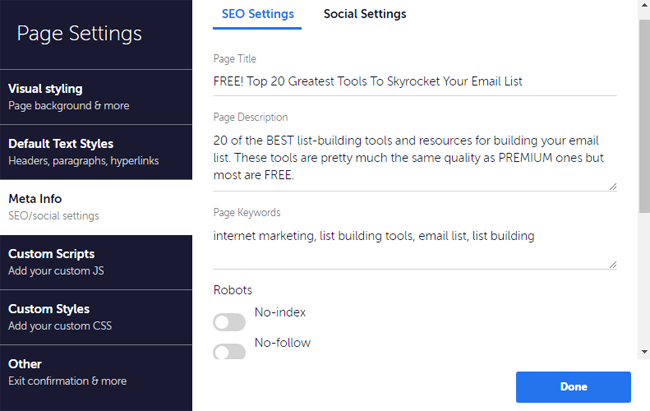
Meta Data will include page title, brief description of your page as well as relevant keywords.
You’ll also need to add a “Social Image”, which is the image displayed on social media when the page is shared.
There’s usually an easy way to add this data in a page builder. Here’s how it looks in Convertri:
As an aside, if Facebook doesn’t pull in the Social Image when you share your page there, you can use the Facebook debugger. Just drop in your URL and hit ‘Debug’. Just ignore the stuff it outputs.
Doing this means that next time you share on Facebook the social image should appear (assuming you set it up correctly in your page builder.
One more thing is the Favicon
It’s not part of the metadata, but it will be one of the settings hidden away in your page builder of choice. It is the little icon that you see on the top left of the browser tab that identifies your site, eg this is mine:

Even sized as a thumbnail it’s much bigger here than it appears in the browser.
You can see it in action at the on the left of your browser tab at the top of this blog post.
It’s not essential, but I feel that it gives your page a slightly more professional look.
5. Thank You Page
To attract the most leads, the product you offer has to tie in tightly with the Lead Magnet, so it’s no good offering your new lead a paleo recipe book when the freebie was “How to train your dog to catch a hobbit”.
They will be disappointed, confused and most likely unsubscribe. They certainly won’t buy from you if you didn’t deliver on your promises.
Make the offer fairly cheap – around $10 or less.
Your lead has probably only just met you, so they are unlikely to buy your coaching at $997, but they might just take a flyer on something that will solve a problem for them.
And what’s better than an email list?
A list of buyers!
So, thank your new lead for subscribing and tell them that their freebie is winging its way to their email address via the magic of the internet…
And while they are waiting, ask how would like they like to take a look at this offer…
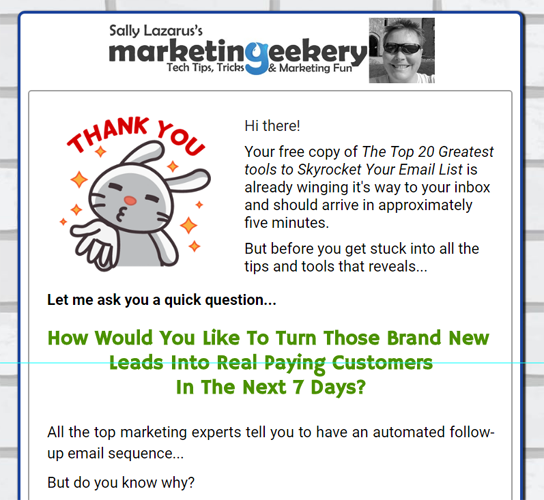
Here’s an example of the sort of thing to say before launching into your sales pitch:
If you get the offer right, it can cover the advertising cost for getting prospective leads to your page…
So you are effectively building a list for free! Woohoo!
And once they’ve bought, set up a rule in your autoresponder to move them from your ‘freebie list’ to your ‘buyers list’.
You can send your best free tips and offers to your buyers list and turn them into long term fans and customers.
6. A Way To Collect Email Addresses & Deliver Your Freebie
The next thing you’re going to need to attract more leads and build your email list, is a way to collect email addresses and deliver your freebie.
An autoresponder service makes this pretty easy.
It allows you to create lists (it can be a different one for every freebie) to collect the email addresses, keeps them safe although fortunately not secret, so you can email your subscribers again at your whim.
But be nice to them and give value! They are real people and won’t hang around for long if you treat them like your own personal ATM.
Although you could put a link on your Thank You Page, my favourite way to deliver the freebie is automatically via eagle email. *

* Doh! I always get those 2 mixed up! 😉
This means that prospects must give you a REAL email address to get their freebie. Hehe!
You’ll need to connect your autoresponder list to the form on your landing page – this is usually fairly simple and can often be done using an API key. Your page builder will likely have instructions on how to do this.
I use and recommend the GetResponse Autoresponder service. You can get a free account here.
7. Follow-Up Emails
One of the most important parts of building an opt-in funnel to attract more leads are the follow up emails.
There’s not a lot of point in spending time creating a lead magnet and building landing and thank you pages if you’re not going to build a relationship with the leads you entice onto your list.
You might just as well have been lounging on the sofa binge-watching Prison Break on Netflix with a big bag of potato chips…
Mmm… potato chips…
So I must stress that writing a follow-up sequence of around 5-7 emails and loading them into your autoresponder is crucial for your success.
The emails should offer value to your subscribers – give them extra tips or explain the concepts in your lead magnet in more detail.
You can repeat the offer they saw on the Thank You page too, but don’t make this the main point of the emails.
Give genuine value, be yourself, tell fun stories related to your niche and people will start to know, like and trust you.
And once they’ve done that, as Del-boy would say, the world is your lobster! 😉

So that’s how to attract more leads to your opt-in funnel fast.
Having Trouble Setting Up Your Opt-In Funnel?

I am introducing a new service to help you…
And for the first 5 people there is a very special price in return for a testimonial.
Click the chat icon at the bottom right of the page, leave me a message and we can set up a FREE Opt-In Funnel Strategy Chat.
Nice one Sally.i think you have produced a great piece of information.
I hope it gets the response it deserves
Regards
Brian
Thanks Brian! 🙂
Great points you have here, Sally! Most of them are digital marketing vitals. People would surely attract more leads when they follow your tips. Anyways, cheers to you 🙂
Thanks! 🙂